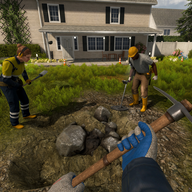
Ore Factory Squad Co-op Guide: Four-Player Roles
Ore Factory Squad co-op guide for four-player role splits, host flow, contracts, mining, factory building, and safer squad pacing.
Four-Player Start
Ore Factory Squad co-op guide planning should divide the factory by responsibility instead of sending every player into the same hole. The official Steam page lists solo play and up to 4 players, plus Multi-player, Co-op, and Online Co-op categories. It also frames the game as mining, property buying, resource processing, contracts, conveyors, vehicles, upgrades, and factory growth. That mix rewards a squad that splits attention across mining, production, stock, and delivery.
The first session should name a host, a mine lead, a factory lead, and a contract runner. In a two-player session, combine host with contracts and mine lead with factory until the warehouse grows. In a three-player session, keep one person on moving resources because pallets, forklifts, trucks, and storage can become their own workload. The point is not rigid specialization; it is preventing four players from making four different assumptions about what the save needs next.
| Role | First responsibility | Handoff signal |
|---|---|---|
| Host | Own the lobby, save pacing, and major purchase calls | Announces property or license changes before spending |
| Mine lead | Opens tunnels and feeds raw resources | Reports when a layer, tool, or lift becomes the limit |
| Factory lead | Places machines, conveyors, and buffers | Calls when a line starves or produces the wrong item |
| Contract runner | Reads orders, negotiates, stages deliveries | Confirms requested product and quantity before loading |
Use the official page https://store.steampowered.com/app/4210580/Ore_Factory_Squad/ as the stable source for player count and feature scope. Use the v1.0.5 patch mirror https://steamdb.info/patchnotes/24391319/ for text chat and safer squad handling. Reviewed gameplay context came from https://www.youtube.com/watch?v=1ytzBkHV6qE and https://www.youtube.com/watch?v=zlqR6q7SAnk.
Communication Rules
The v1.0.5 patch note matters because it reports text chat and protected handshake protocol work. Those are co-op quality-of-life details, not economy secrets, but they shape how a squad should recover from confusion. Use text chat for durable calls such as the active contract, current product target, property choice, and upgrade goal. Voice can handle quick movement, but typed notes survive when someone is driving, loading, or returning from a mine.
Set three phrases before the run. "Hold spending" means no one buys equipment, property, or machines until the host confirms the next target. "Line blocked" means the factory has input, but output is not reaching storage or contracts. "Delivery ready" means the contract runner has checked product and quantity and the dock lane is clear. Clear language is faster than blaming the person who happened to notice the problem.
| Message | Use it when | Action for the team |
|---|---|---|
| Hold spending | Cash is being saved for a license, property, or key machine | Stop impulse upgrades until the host resolves priority |
| Line blocked | Belts, machines, or storage stop the requested item | Mine lead keeps feeding only the missing input |
| Delivery ready | Contract goods are staged and count looks correct | Other players avoid moving those pallets |
| Reset route | A tunnel or conveyor branch is wasting time | Rebuild one section, then test before extending |
Because the game has active post-launch patches, do not turn old videos into permanent rules about menus. Treat videos as examples of flow and pressure. Confirm the current interface before assigning a player to a repeated task.
Mining and Factory Split
The most common co-op waste is over-mining one input while the production line starves for another. The mine lead should not dig randomly once contracts begin. Instead, they should ask the factory lead which resource is missing from the next output. The Steam page states that resources become more valuable as players go deeper and that each property has randomized distribution. That supports exploration, but it also warns against promising a fixed ore route for every squad.
The factory lead should keep the first production line readable. One belt should have one job until everyone understands the handoff. If the mine lead returns with material and the factory lead cannot tell where it belongs, the line is too clever for the current group. Add labels through physical placement: raw resources near intake, processed goods near machines, contract goods near the dock. The contract runner can then inspect storage without interrupting mining.
| Squad size | Mining assignment | Factory assignment | Contract assignment |
|---|---|---|---|
| 2 players | One digs and hauls in batches | Same player checks the line after each haul | Host accepts only short, proven orders |
| 3 players | One mines, one transports | One maintains machines and storage | Host or transporter stages deliveries |
| 4 players | Two can split tunnel and hauling | One owns belts, robots, and machines | One handles offers, pallets, and trucks |
When offsite workers or automated helpers enter the save, do not abandon role ownership. The worker system can supply resources in parallel, but someone still has to decide which inputs deserve factory capacity. Automation reduces carrying; it does not remove planning.
Contracts in a Squad
Contracts are where co-op coordination pays off. The official description identifies contract requests, negotiation, delivery preparation, and truck loading as part of the game. In a squad, one player should read the order out loud or type it, then another player should repeat the product and quantity before anyone starts loading. That double check prevents a mixed pallet from leaving the factory because two players saw different tasks.
Avoid accepting several unfamiliar contracts at the same time. A four-player team can move quickly enough to create multiple partial orders, and partial orders hide mistakes. Start with one order that the current production line already supports. When delivery succeeds, add a second order only if it uses a separate stock lane or a clearly separated product. Use negotiation after the team has proven the route, not before.
The contract runner should protect final storage. Once goods are staged for a truck, other players should not borrow from that pile for quick sales, decoration experiments, or machine testing. If urgent cash is needed, the host should choose a surplus that is outside the active delivery lane. The advanced tips evidence supports treating stock sales as an emergency tool while contracts form the steadier income path.
Lobby Safety
The safest squad is predictable. Decide who hosts, when the group sleeps or pushes through a cycle, and whether players can make major purchases without asking. A public or loosely organized lobby can still function, but expensive decisions should stay with the host or a trusted player. The patch evidence for safer squad handling and protected handshake protocol is a reminder to verify the live co-op menu after updates.
If someone joins late, do not hand them the most complex task first. Give them transport, visible pallet staging, or a short mining assignment. Once they understand the current contract and warehouse layout, they can take over a more technical role. For players with controller preferences, the Steam page lists full controller support, so keep vehicle and forklift tasks available to whoever handles those controls best.
A stable lobby also needs a restart plan. If a player disconnects, the remaining group should pause major spending and stop accepting fresh contracts until the role gap is covered. If the miner leaves, the factory should switch to consuming stocked material rather than starting a deep route no one can maintain. If the factory lead leaves, miners should bring back smaller batches and place them in raw intake instead of inventing new machine branches. If the contract runner leaves, finish only orders already staged for delivery. This keeps a temporary absence from turning into a confused rebuild.
For public or casual co-op, use trust levels around costly actions. Any player can haul, mine an assigned branch, or move marked surplus. Only the host should buy properties, spend license money, or accept a contract that changes the entire production target. A regular squad can loosen those rules after members understand the same warehouse language. The goal is not control for its own sake; it is protecting the save from four people making permanent decisions based on partial information.
The concrete evidence points for this Ore Factory Squad co-op guide are solo or up to 4 players, Multi-player, Co-op, Online Co-op, text chat, and the protected handshake protocol mentioned in patch evidence. Use those facts to set expectations. A four-player session can be faster than solo play, but only when communication makes the extra hands additive. Without role calls, more players simply create more moving parts around the same small warehouse.
FAQ
How many players does Ore Factory Squad co-op support? The official Steam listing supports solo play or co-op with up to 4 players.
What is the best first role split? Put one player on hosting and contracts, one on mining, one on factory layout, and one on transport or delivery when the squad has four people.
Should a co-op squad use text chat? Yes. The v1.0.5 patch evidence supports text chat, and typed product targets reduce contract mistakes.